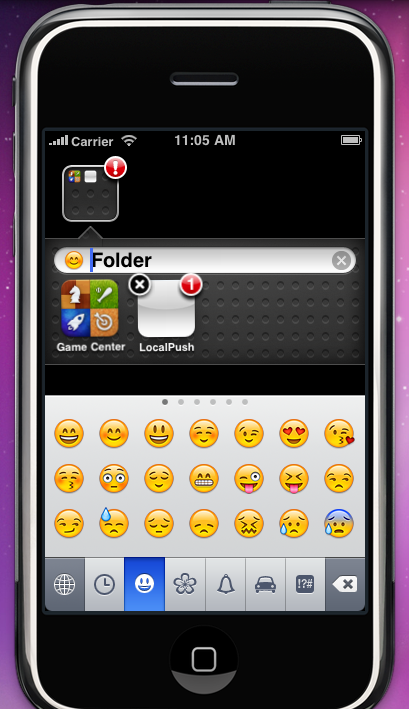
There is no need to guess and wait for update. This patch works for firmware 2.2 / 2.2.1Emoji is the Japanese name for pictorial characters, smileys and emoticons. The characters are similar to the commonly used emoticons

but Emoji contains over 461 icons. These icons are standardized and built into most japanese handsets.
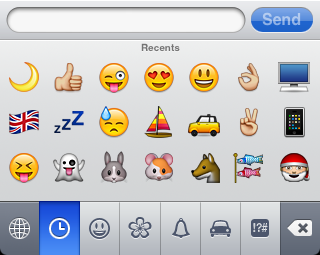
Currently, this new feature for firmware 2.2 is available to Japanese iPhone 3G or jailbreak iPhone with emoji patch only.
To enable Emoji without jailbreak, you need to install an app that I made.
This is not a vcard.vcf method, this is a patch like the one in Cydia but available to iPhone and no jailbreak required. The above screen dump is directly captured from my iPhone 3G, and no jailbreak.
Touch Dial Emoji Version 1.2To enable Emoji, follow these steps
(1) Upgrade iPhone firmware to 2.2
(2) Install Touch Dial Emoji version 1.2 from App Store
iTunes Link
http://phobos.apple.com/WebObjects/MZStore.woa/wa/viewSoftware?id=286534260&mt=8Yes, you have to pay for this app. If you don't like to pay, jailbreak your iPhone and install the package from Cydia, it is free.(3) Goto Settings -> Touch Dial -> turn Enable Smiley icon to ON
(4) Launch Touch Dial

(5) Go to Settings>General>Keyboard>International Keyboards>Japanese and enable "Emoji."

The difficulty of this app is not on coding as the method is well known, it is about how to get it past.
One more thing, new hack is coming.